
Your leads.
Followed up.
Booked in.
Meet your Convert Agents. They follow up with your LeadZik leads, answer questions, nurture the conversation, and book appointments. You tell us about your business. LeadZik handles the rest.


You know your business.
That’s most of the setup.
No complicated software to learn. A guided setup asks about your business, your agents, and when you can take appointments. LeadZik handles the booking page and the follow-up infrastructure, so you can start working toward better lead outcomes.
- 01
Make it your business.
Add your services, business information, and the details homeowners ask about.
- 02
Choose your Agent Channels.
Select the Convert Agents you want to use and complete the setup for each channel.
- 03
Tell us when to book.
Set your appointment options and availability. We create a booking page with your branding.
- 04
Let your LeadZik leads come through.
With your agents enabled, eligible leads can enter follow-up immediately. Convert handles the conversation through to booking.
 YOUR CONVERT PROFILEInteractive example
ABC Exterior Pros
Home services · Your service area
3 Agent Channels selected for this example.
Available channels depend on your plan and completed activation.
Different ways to talk.
One goal: get it booked.
Each Agent Channel gives your LeadZik leads another way to keep the conversation going. Your Convert Agents use your business information and the lead’s project details to answer, follow up, and work toward a booking.
Meet your Web chat AgentA useful hello. Right after the request.
Your Web Chat Agent already has the LeadZik project details. It can pick up the conversation on your booking page, answer questions, and offer a time that fits.
Overflow near the back door. Homeowner prefers a repair if possible. Visit before the afternoon school run.
Illustrative conversations. Agent Channels depend on your plan and completed activation.
 ConvertLead inboxExample workspace
 AI AssistantFollowing upWeb chat
Every lead.
One workspace.
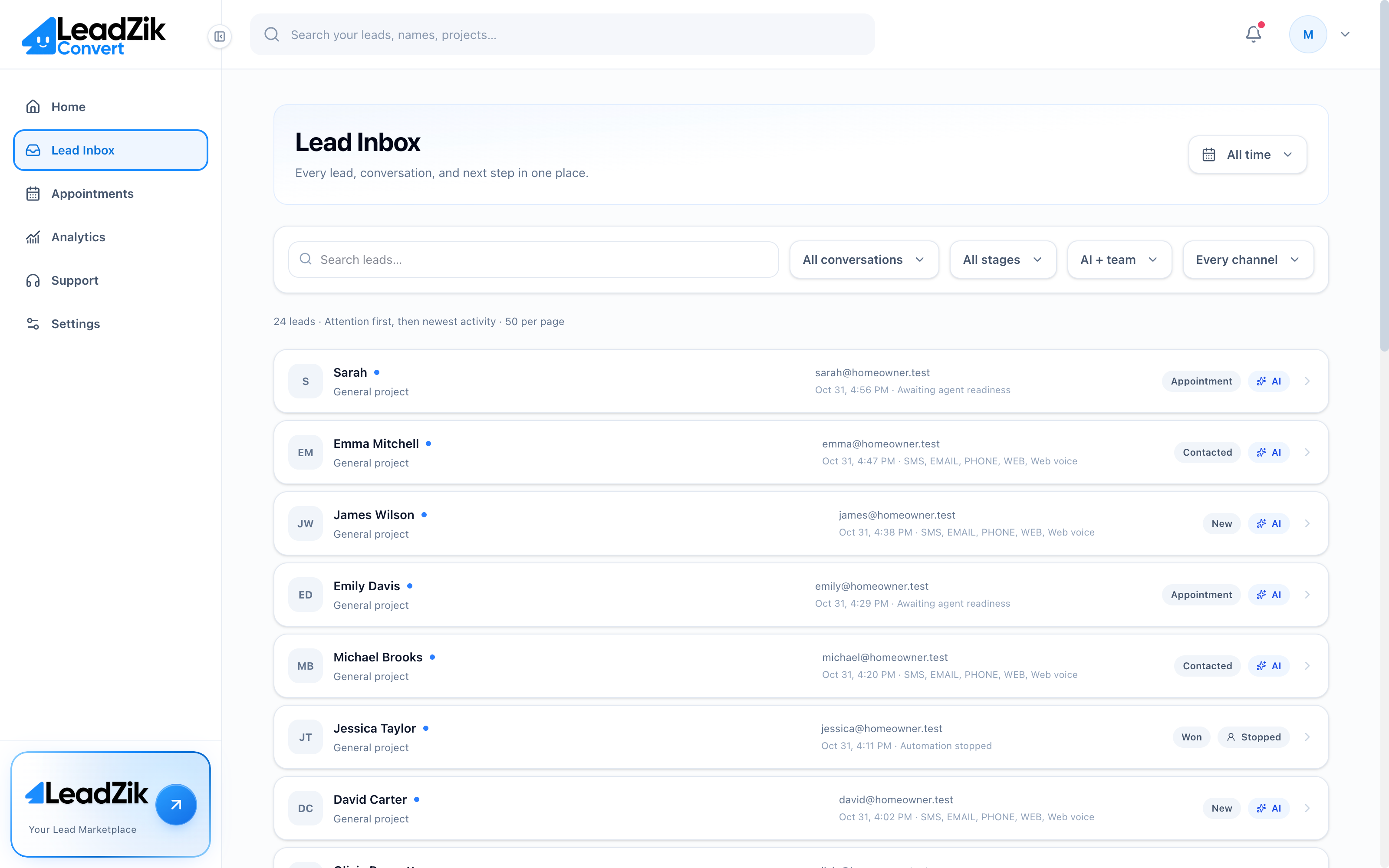
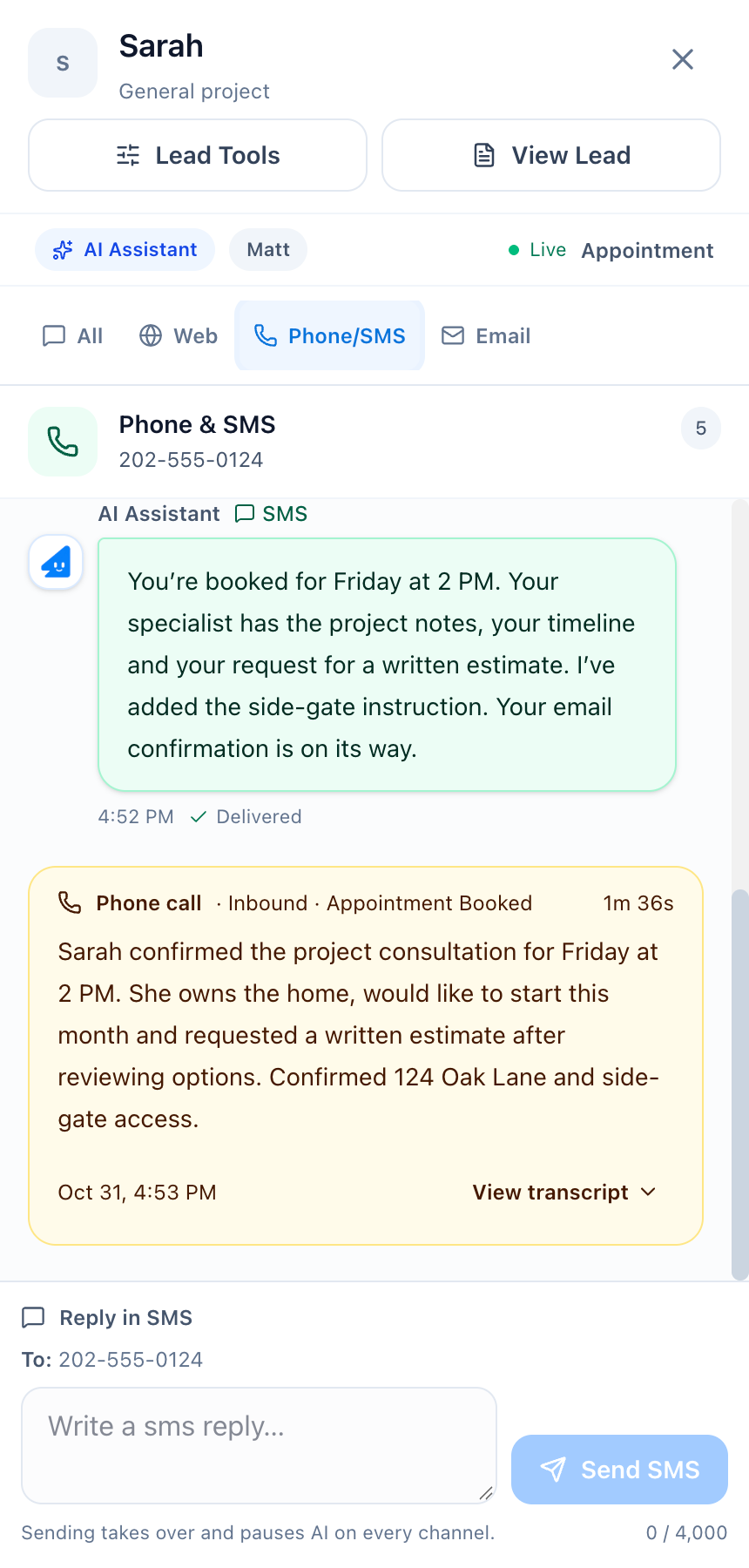
Open the inbox and see the conversation, project summary, team owner, and next appointment. The next person can pick up where the conversation left off.
- Web, SMS, email, and call history together
- AI summaries and project notes
- Lead assignments and human takeover
- Bookings and outcome reporting
One lead.
A follow-up that follows through.
Homeowners don’t follow a script. A project question, a change of plans, a little more time: your Convert Agents keep the context and help the conversation move toward an appointment.
Your business, behind every answer.
Your services, business details, and booking preferences give agents the context for the questions that come next.
Different channels. One conversation.
Convert follows up through your enabled Agent Channels. Your team can review the history and step in when needed.
An appointment with the full picture.
Agents work toward a booking, with the project details and conversation ready for your team.
Illustrative workflow. Channels depend on your plan and completed activation.
Keep in touch.
Know when to step in.
Your LeadZik lead may need a second conversation before choosing a time. Convert follows up through your enabled channels and keeps the replies attached to the lead.
Your team can take it from here.
Review the history, assign a teammate, and take over the conversation when the project needs a person.
- Project details collected
Homeowner would like to discuss the scope before booking.
- Follow-up sent
“Hi Daniel, would an afternoon visit suit you this week?”
- Appointment booked
Daniel picks Friday at 2. The booking and project notes are ready for your team.
A good conversation
deserves a date.
LeadZik creates a booking page that feels like your business. Your agents guide interested homeowners to a time that works, and the appointment stays with the original lead.
- Your branding, services, and appointment options
- Available times based on your setup
- Project details and conversation ready for the visit
- Appointments visible to your team
Choose a time to talk.
Pick a time
Try it out. This example won’t book a real visit.
From lead to outcomeExample activity- Qualified lead deliveredMatched to your business
- SMS Agent starts the conversationProject questions answered
- Follow-up keeps it movingThe homeowner is ready to choose a time
- Consultation bookedAppointment and conversation saved together
Hands off the follow-up.
Eyes on the results.
Open Convert to see what happened after a lead arrived. Read the conversation, review the project summary, and track the booking and outcome. You get the detail without piecing together texts, calls, and calendar entries.
Lead history, agent replies, notes, and team ownership in one place.
Follow activity, appointments, and outcomes across your LeadZik leads.
Convert support helps with setup, Agent Channels, and your account.
Questions about Convert?
Get the details on your Agents, channels, bookings, and the way your team stays involved.
How do I set up Convert?
Create your Convert profile in LeadZik, add your business information, select your Agent Channels, and set your booking availability. LeadZik creates your custom booking page and handles the infrastructure. Channel availability depends on your plan and completed activation.
What does LeadZik Convert do?
Convert is the AI follow-up and booking part of the LeadZik ecosystem. Its Convert Agents nurture your LeadZik leads, answer project questions, and help turn interest into booked appointments. You choose your Agent Channels; LeadZik handles the infrastructure, your custom booking page, and the follow-up.
Is Convert built for my LeadZik leads?
Yes. Convert is designed to work with leads inside the LeadZik ecosystem. When an eligible LeadZik lead arrives and your Convert Agents are enabled, they can begin following up through your active channels. Marketplace lead purchases and Convert plans and booking charges are billed separately.
Can my team take over a conversation?
Yes. Your team can review the conversation, take over replies, assign a lead, and keep notes together. Agents work within your configured business information, channel settings, availability, and consent requirements.
What is included in Free?
Free has no monthly subscription or setup fee and includes web chat, qualification, and appointment booking for the owner. Each confirmed customer or AI booking costs $50 from launch. SMS, email, voice, and additional seats require a paid plan.
How does the paid-plan trial work?
Your first paid-plan launch includes a seven-day trial of subscription, booking, and seat fees. Afterward, subscription and per-booking charges apply. SMS registration and number setup are separate. Changing plans does not restart the trial. Review the current terms during setup.

From “just looking” to “see you Friday.”
Give your LeadZik leads a follow-up that follows through. Start with a simple Convert profile.